Screenshots that do the next step for you
Shotsmith captures regions, windows and long pages, lets you mark them up in seconds, and sends them through workflows — OCR, translation, LLMs, scripts — with a single shortcut.
Free to use · macOS 14 Sonoma or later
Features
Capture anything, mark it up fast
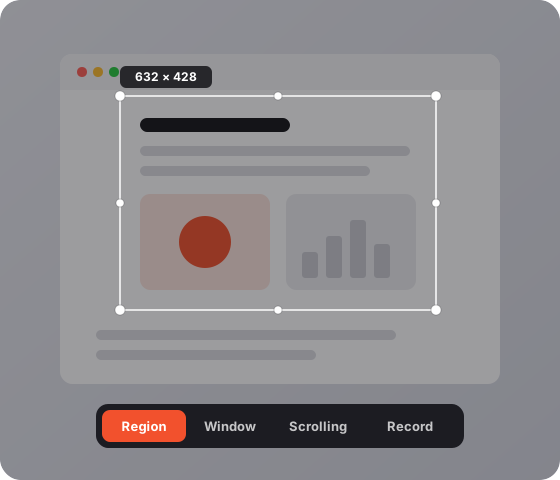
Grab a region, a window, or a whole scrolling page, then annotate it in an editor built for keyboard-first speed.
Region, window and scrolling capture
Long pages are stitched into one image, without repeating sticky headers or floating buttons.
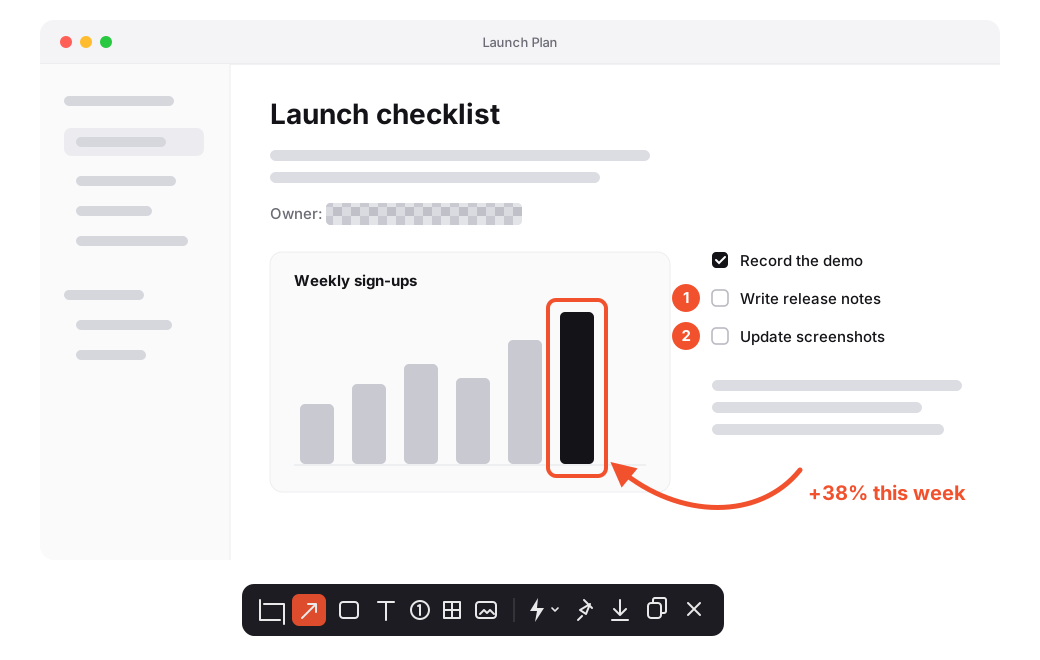
Arrows, shapes, text and counters
Every tool has a one-key shortcut. Number steps with counters and hide secrets with mosaic.
Backgrounds and device frames
Drop a screenshot onto a background or into a device frame, ready for docs and social posts.
Keep it in view, find it later
Pin a screenshot above everything while you work, record your screen, and search every shot you took.
Pin to screen
Float a screenshot over other apps. Swipe to change its opacity, lock it, or blur parts of it.
Screen recording with steps
Record, trim, and get a screenshot of each step you clicked through, ready to share as a guide.
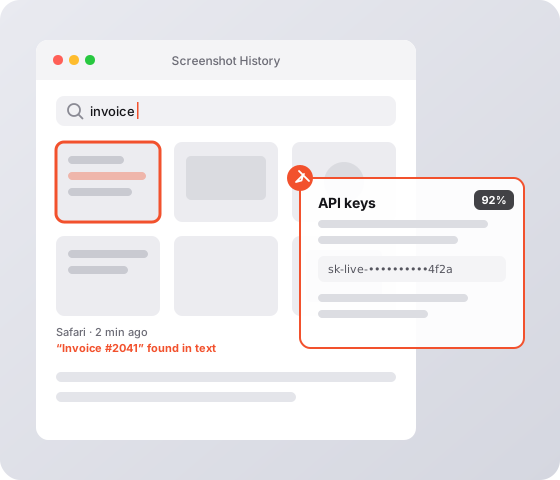
History with text search
Text in your screenshots is recognized on your Mac, so you can search for what you saw.
Workflows: the step after the shot
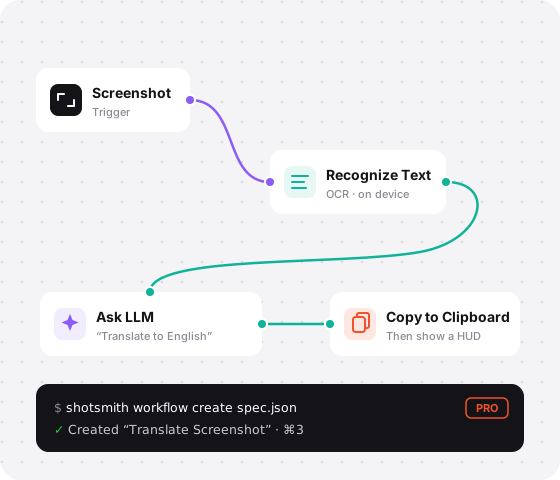
Chain actions on a visual canvas and run them from the editor toolbar or with ⌘1–⌘9. Building is free; running workflows is part of Shotsmith Pro.
OCR, translation, LLMs and more
Recognize text, translate in place, ask a local or cloud LLM, call a webhook, or run a script.
Private by default
Recognition runs on device and data only goes to services you set up, including a local Ollama.
Built for coding agents
The shotsmith command line tool lets Claude Code and other agents create and test workflows for you.
Pricing
Free for everyday screenshots. Pay once to unlock workflows.
Free
Everything you need to capture, mark up, and share.
$0 forever
Coming soon for MacIncludes
- Region, window and scrolling capture
- Screen recording with step screenshots
- Arrows, shapes, text, counters and mosaic
- Backgrounds and device frames
- Pin screenshots to your screen
- History with on-device text search
- Build and edit workflows
Everything in Free, plus
- Run workflows from the editor and with ⌘1–⌘9
- OCR, translate, LLM, webhook and script actions
- The shotsmith CLI for Claude Code and other agents
- Use on 2 Macs
FAQ'S
Frequently Asked Questions
Make every screenshot count
Download Shotsmith for free, and upgrade to Pro when you want your screenshots to do the next step for you.